POS for Restaurants
ShoppersJet POS for Restaurants
Run the floor, the kitchen and the till from one screen.
Table checks, kitchen tickets, split bills, reservations and tips — on a countertop register, a handheld or a Windows till.
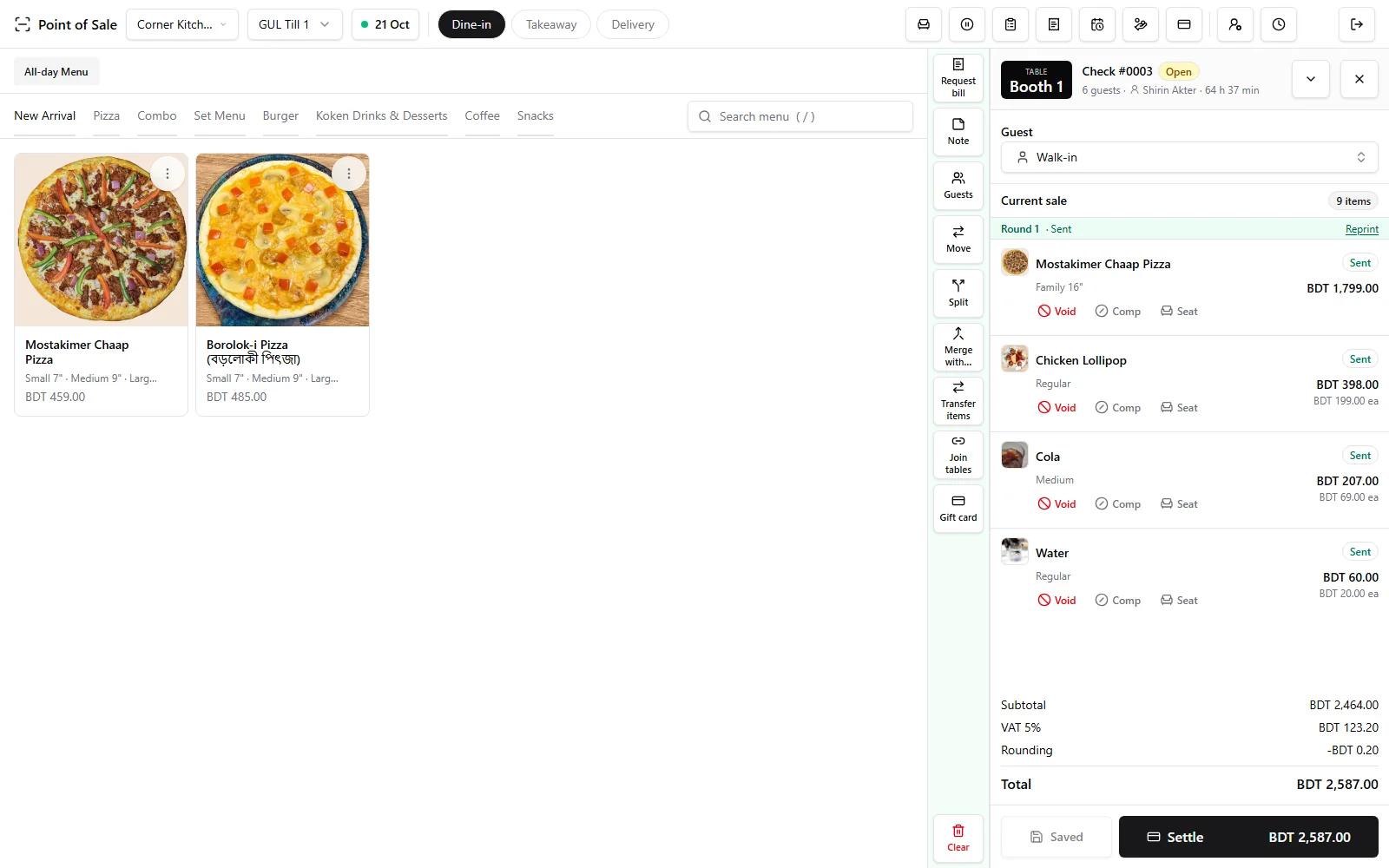
- Table checks with seats, split and merge
- Send to kitchen by prep station
- Dine-in, takeaway and delivery
- Waiter switch with a PIN
- Reservations on the floor plan
- Tip presets and payouts
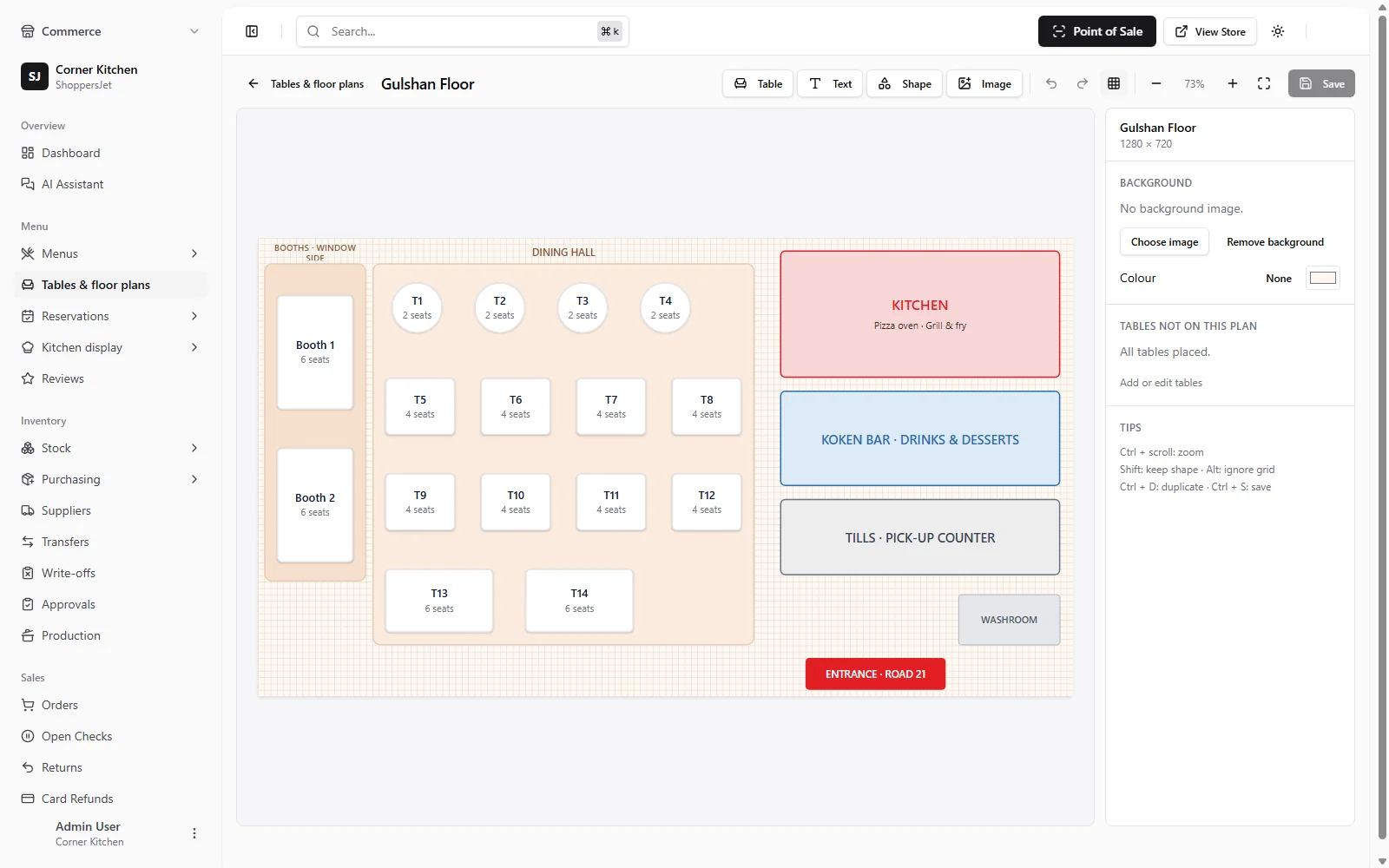
A floor plan that matches your room
Draw tables, booths and bars on the layout designer, then watch each table change as checks open, bills are requested and tables clear.
- Layout designer per outlet
- Live table status
- Reservations
Checks that follow the table
Open a check at the table, add seats, split the bill, or merge two checks when a party joins up. Waiters switch in with their PIN.
- Split and merge checks
- Seats on every check
- PIN switch between waiters
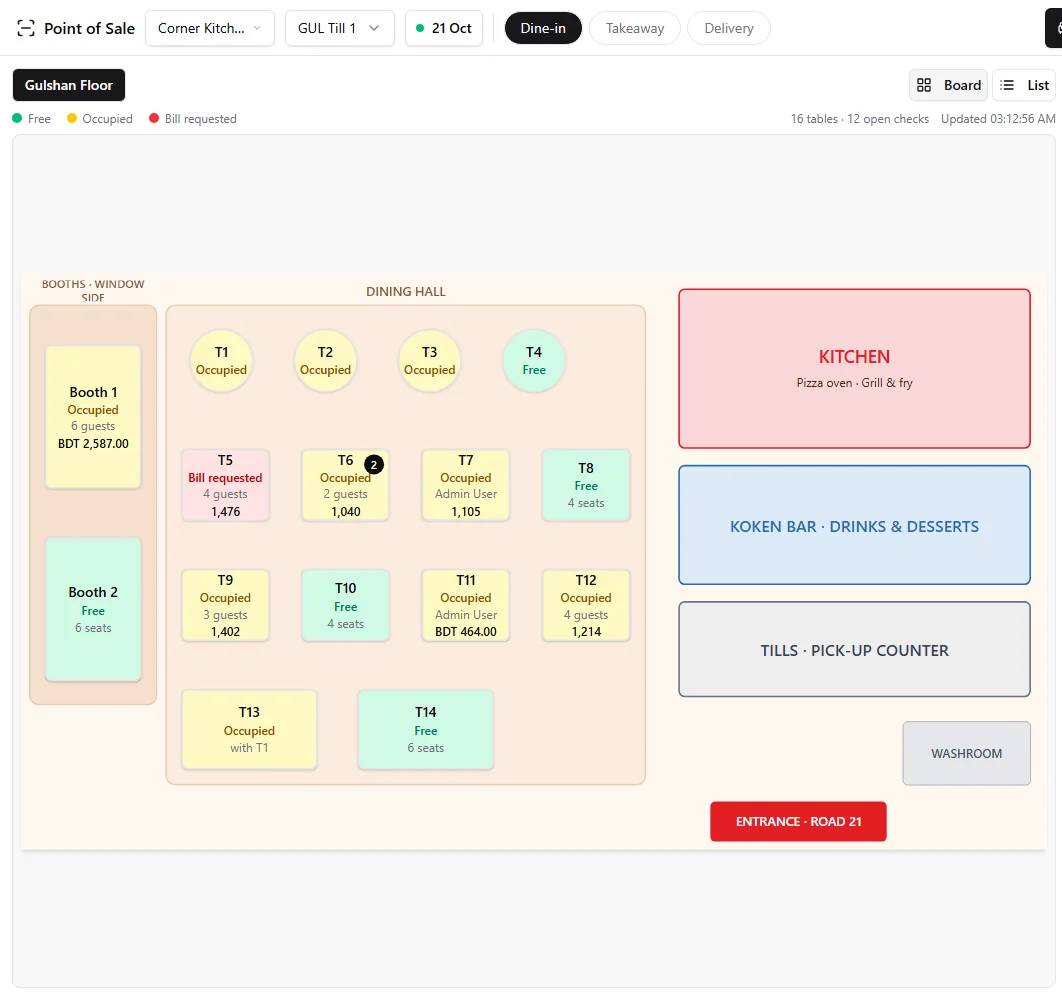
See every table at a glance
The register shows the room as you drew it — which tables are free, occupied or waiting for the bill, how many guests, and what each check is worth.
- Free, occupied, bill requested
- Guests and check totals
- Board or list view
Menus with sizes and preferences
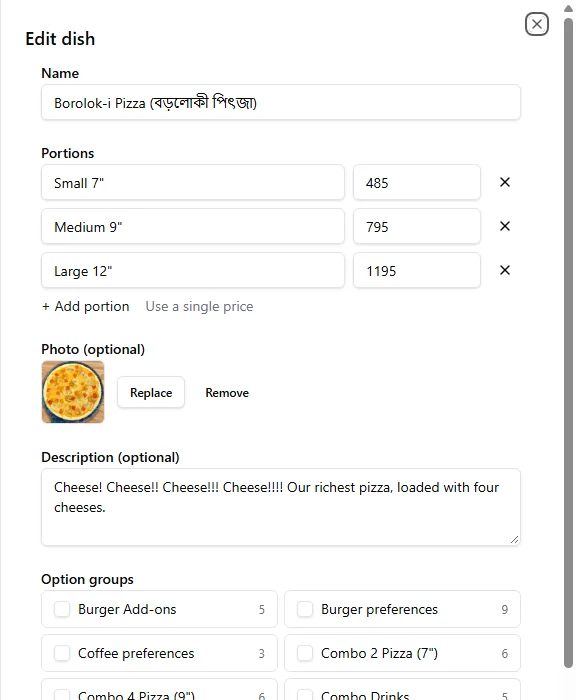
Give each dish its portions and prices, attach option groups like extras and preferences, and send it to the right prep station.
- Portions with their own prices
- Extras and preferences
- Prep station per dish
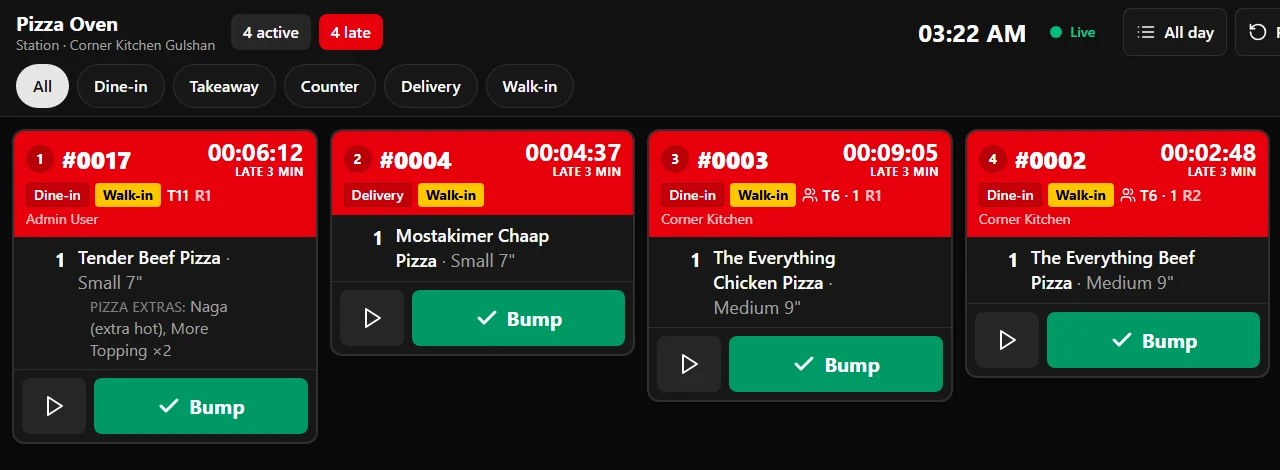
Orders go straight to the right station
Each item routes to its prep station — grill, pizza, bar — as a printed kitchen ticket, a kitchen display, or both.
- Kitchen tickets per prep station
- Optional kitchen display
- Dine-in, counter, phone and web orders
Tips, settled properly
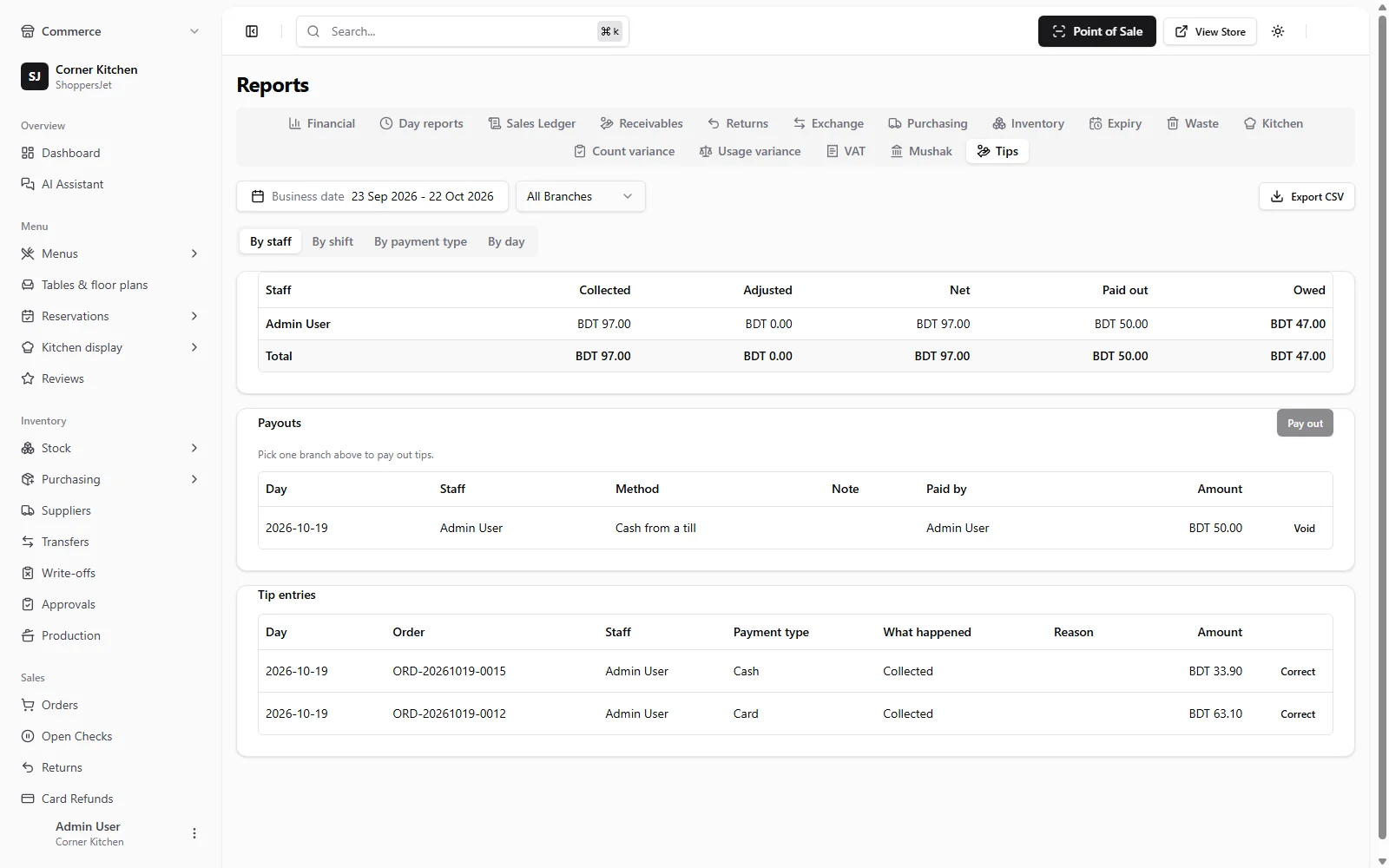
Set tip presets per outlet, attribute each tip to the waiter on the check, and pay tips out in cash or through payroll.
- Presets per outlet
- Manager corrections
- Tips on X and Z reports
Works with the rest of ShoppersJet
Start selling with ShoppersJet
Create a free account in minutes. Add hardware, payments and the rest when you need them.